
1
Cleanup
- Outdated facts
- Broken links
- Small quality defects
Choose The Right Website Scope
Audit the website before choosing the project. A cleanup may solve outdated details and broken paths; a refresh may improve content and presentation; a rebuild is justified only when the foundation cannot support what the business now needs.
Website scope decision
“We need a new website” can mean almost anything: a broken form, outdated service descriptions, an embarrassing visual style, difficult editing, poor mobile behavior, or a platform that can no longer support the business. Before choosing scope, separate the symptoms from the underlying constraint. A cleanup, refresh, rebuild, and workflow project solve different problems—and the most expensive option is not automatically the most responsible one.
Personal frustration with the site matters, but scope should be grounded in the customer path, current business needs, and evidence of where the site is failing.
Choose a service, booking, quote, purchase, or contact journey and follow it from arrival through confirmation. Check whether someone can understand the business, recognize fit, find relevant proof, choose the right action, submit information, and know what happens next.
Write down real confusion, repeated questions, abandoned steps, wrong-fit requests, and places where staff must explain what the website should have made clear. This separates useful evidence from a general feeling that the site looks old.
Mark inaccurate services, outdated team details, vague claims, missing proof, duplicated pages, unanswered questions, and content nobody owns. A beautiful redesign cannot rescue information that is wrong, unclear, or disconnected from how the business now works.
When the structure is sound but the message has drifted, a focused content and page cleanup may solve more than a visual overhaul.
Surface defects and structural limitations can look similar from the outside. The audit should distinguish fixable quality problems from a platform that genuinely cannot support the work.
Review mobile layouts, navigation, forms, links, headings, keyboard access, image alternatives, page speed, privacy notices, analytics, confirmations, and error states. A handful of serious defects may create most of the frustration while the underlying site remains usable.
Prioritize problems by customer impact and business risk rather than by how easy they are to notice during a visual review.
Confirm that the platform is supported, domain and account ownership are clear, backups and recovery work, content can be updated, integrations are maintainable, and ordinary changes do not break unrelated pages.
Foundation problems are the strongest argument for a rebuild. They are different from disliking the colors, wanting fresher imagery, or needing clearer service language.
Scope comparison
Cleanup, refresh, rebuild, and workflow work each have a legitimate place. The decision becomes clearer once the audit shows where the real limitation lives.
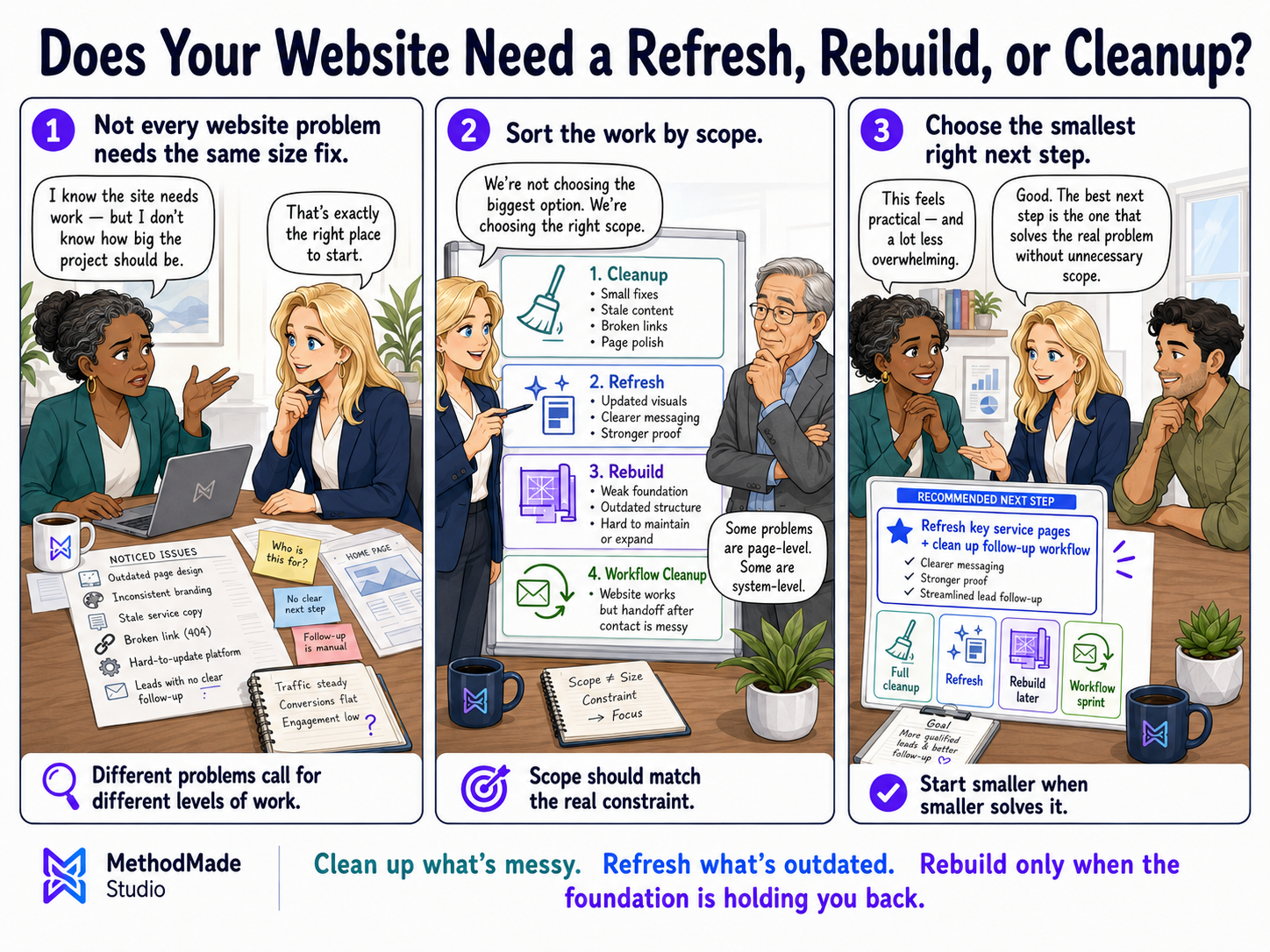
A cleanup fits when the platform and page structure are sound but the site contains outdated facts, broken links, inconsistent formatting, weak calls to action, missing metadata, or a manageable set of mobile and accessibility defects.
This is often the fastest way to reduce customer confusion and restore trust without disturbing parts of the site that still perform well.
A refresh fits when the foundation remains usable but the message, visual direction, page patterns, proof, or customer journey need meaningful improvement. It may include rewritten core pages, updated design rules, new imagery, and selective restructuring.
A refresh should make the current business easier to understand—not merely make the old website look newer.
A rebuild is justified when the platform cannot support required functions, ownership is unclear, content management is unworkable, integrations are brittle, or accessibility, privacy, security, performance, and recovery cannot be corrected responsibly.
The rebuild should preserve what is still valuable while replacing the part that prevents the business from operating, maintaining, or growing safely.
A new website will not fix an unattended inbox, unclear request ownership, missing follow-up, or a process that depends on memory. When the public path works but requests become unreliable after contact, the first project may belong behind the website.
Pair website and workflow work only when both are necessary to complete the same customer journey.
Once the scope is clear, describe what the project must accomplish, what should remain, and what the finished site should communicate before asking for estimates.
Name what the site should communicate rather than asking for an abstract style. Compare a few grounded directions and discuss how each supports the customer, business, and kind of trust the site needs to build.
The brief should name the problem, supporting evidence, selected scope, customer paths affected, pages or systems involved, what will remain, what success looks like, who approves decisions, and who maintains the result.
A clear brief protects the business from vague proposals and protects the project from expanding every time someone remembers another annoyance.
Visual guide
Clean up what’s messy. Refresh what’s outdated. Rebuild only when the foundation is holding you back.
Your action plan
A website audit, scope decision, priority list, and visual direction brief grounded in what the business and customers actually need.
Want help applying this?
If this guide describes part of what your business is dealing with, tell us what is happening. We can decide whether there is a useful project, clarify the scope, and estimate it around the actual work involved.
A natural next step
The guide or story below builds naturally on what you just read.
Please don’t share passwords, payment details, medical information, or other sensitive data here.