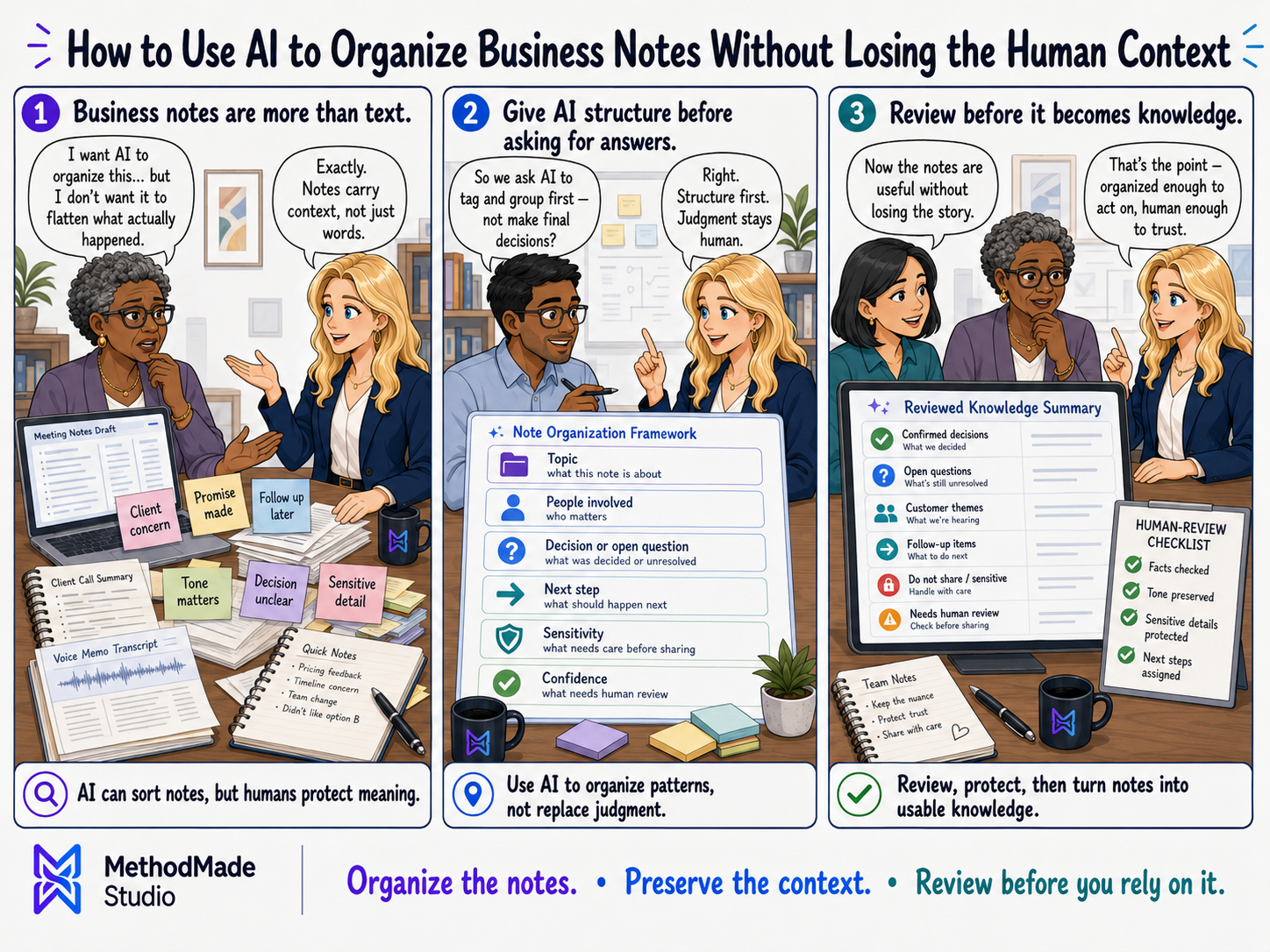
Messy notes are everywhere: call notes, meeting notes, customer details, project ideas, service explanations, reminders, voice memos, and scraps of “we should do this later.” AI can help turn that pile into something usable. But the goal is not to let AI decide what matters. The goal is to organize the material so people can think, decide, and follow up more easily.
Start with safe source material
Before using AI with business notes, decide what information is safe to include. Avoid pasting sensitive customer, employee, legal, financial, medical, or private business details into tools the business has not reviewed and approved for that kind of information.
When possible, remove unnecessary names, account numbers, private details, and anything the AI does not need in order to organize the notes.
- ✓What information is necessary for the task?
- ✓What should be removed or anonymized first?
- ✓Which tools are approved for this kind of information?
- ✓Who reviews the output before it is used?
Ask AI to organize, not decide
AI is often helpful for turning notes into categories, summaries, outlines, action items, draft FAQs, follow-up email drafts, or checklists. Those are support tasks. The business still decides what is accurate, appropriate, sensitive, and important.
A useful prompt tells AI what format to produce and what not to do. For example: summarize these notes into action items, open questions, possible website content, and follow-up tasks. Do not invent details.
Keep the human context attached
Notes often contain context that is easy to flatten: tone, urgency, relationship history, constraints, promises made, and details that are sensitive even if they look small. A person should review the AI output against the original notes before anything becomes customer-facing or operational.
The reviewed output can then become a better task list, content outline, process note, or follow-up draft.
Turn organized notes into a workflow
The best AI note workflow does not end with a prettier summary. It creates a next step: update a project file, draft a reply, add a task, clarify a service page, write an FAQ, create a checklist, or schedule a follow-up.
That is where AI becomes practical. It helps reduce the gap between scattered notes and actual work moving forward.