
Turning daily courthouse records into a connected legal operations workflow
A narrow request to automate daily public-data ingestion grew into a staff-reviewed system for outreach, follow-up, administration, and real-time courtroom support.
Daily
Automated data pipeline
Each new courthouse CSV could be retrieved and imported into a searchable, staff-reviewed queue.
4–5 months
Focused request to mature platform
The system evolved iteratively from ingestion into connected outreach, follow-up, administration, and courtroom support.
Connected
Fragmented workflow replaced
Records, outreach, activity, notifications, and information sharing moved through one operational path.
The real situation
The legal office used daily public courthouse records related to traffic and criminal matters to identify potential clients. Before the platform existed, staff manually retrieved the files, organized contact information, prepared letters, sent messages, tracked responses, and reconstructed the next step across a fragmented process.
What began as a focused data-ingestion request evolved through real office use. Over approximately four to five months, the system became a connected internal product supporting staff review, outreach, follow-up, administration, and information sharing during active court proceedings.
What the business was carrying
The visible problem
- New courthouse files arrived every day, but retrieval and organization were manual.
- Staff needed to distinguish new leads from existing clients and keep human judgment inside the outreach process.
- Follow-up, status, and information needed in court were scattered across office activity.
Why the obvious fix was not enough
The harder system underneath
- Automating indiscriminate outreach would have been easier technically and worse operationally.
- Physical letters, SMS, existing-client context, statuses, notes, and timing-based follow-up had to coexist.
- The system handled sensitive legal context and needed practical permissions and confidentiality boundaries.
The connected workflow
Public data became useful only after it joined the office’s decisions and follow-up
The pipeline organized the repeated work while preserving staff review where context and judgment mattered.
Before
- Manual daily file retrieval
- Scattered lead and client context
- Separate outreach and follow-up steps
- Courtroom information could remain at the office
After
- Searchable staff-reviewed queue
- Differentiated communication paths
- Visible follow-up and administration
- Connected office-to-courtroom information
- 01
Retrieve
Import the daily courthouse file
Turn raw downloadable records into a consistent internal queue.
- 02
Review
Compare with existing-client context
Let staff decide what the record means before communication proceeds.
- 03
Communicate
Prepare letters and send appropriate SMS
Use the channels that were practical for the available data.
- 04
Follow through
Track status, timing, notes, and files
Keep the next action visible from office review through courtroom support.
What changed
Decisions that moved the work forward
- 1 Ingest
Retrieve and organize the daily records
I built custom PHP plugins that automatically retrieved courthouse CSV files and transformed them into a searchable staff review queue.
- 2 Qualify
Preserve human review and client context
Imported records were compared with current-client data so staff could review the situation and communication could differ for a new lead versus an existing client.
- 3 Connect
Link outreach to visible follow-up
The platform generated mailing lists, sent SMS when phone information was available, and surfaced notifications tied to timing, status changes, and responses.
- 4 Extend
Support the wider office workflow
Role-based administration, reporting, notes, files, and courtroom information-sharing grew from recurring review meetings with the owner-attorney.
What the business gained
Results beyond the implementation
01
Staff reviewed organized records instead of manually retrieving and reconstructing the daily data.
02
New leads and existing clients could follow different communication paths.
03
Office information could move to the attorney during active proceedings rather than remaining trapped at the office.
What this proves for a client
The scale may change. The systems judgment still transfers.
This project shows why automating one repetitive task can reveal a larger systems opportunity. The goal is not to automate every decision. It is to connect retrieval, review, communication, ownership, and follow-up so people can apply judgment without rebuilding the process each day.
Technical footprint
Evidence and boundaries
- ✓ Automated daily courthouse CSV retrieval and ingestion
- ✓ Staff-reviewed queue
- ✓ Differentiated new-lead and existing-client communication
- ✓ Role-based administration and courtroom support
The legal office, people, records, outreach content, client information, notes, and private files remain generalized or excluded.
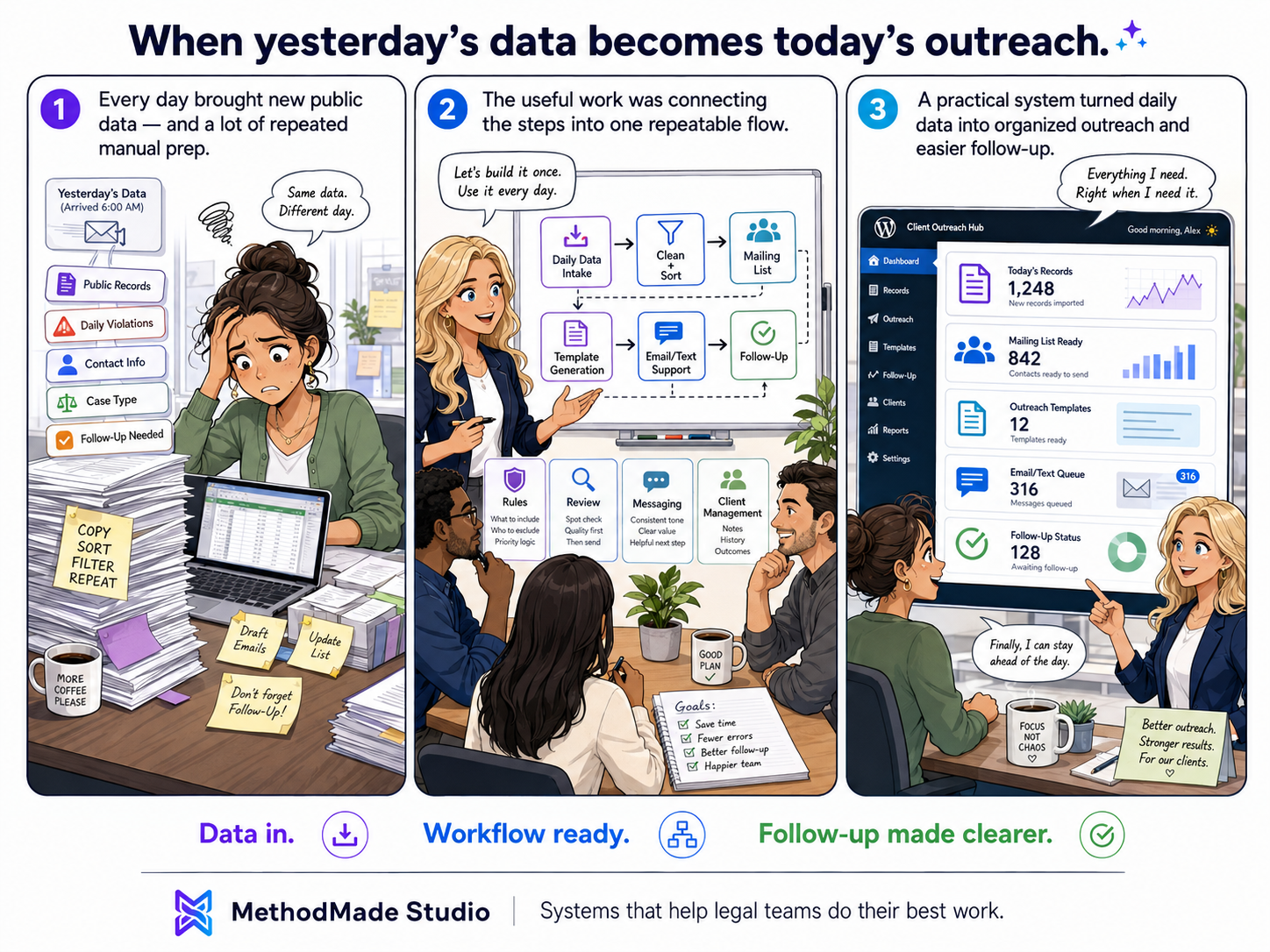
Visual recap
From daily records to a connected office workflow.
Related practical guide
Turn Data Into a Business Capability
Read the guide →A practical next step
Connect the data you already have to the work that should happen next
A workflow map can reveal where qualification, communication, follow-up, and ownership are still being reconstructed manually.